

Instead of repeatedly typing your business details into applications, build a verified filing record, choose a card whose requirements you meet, and submit one complete application. To apply for a business credit card with an EIN in 2026, use the EIN as your business tax ID—not as a substitute for owner identification, a credit review, or a required personal guarantee.
- To apply business credit card with EIN details, match your application to your IRS record and formation documents.
- An EIN identifies your business; it does not establish creditworthiness or remove a personal guarantee.
- Pro Business Solutions helps first-time Los Angeles owners prepare formation and EIN paperwork, not make lenders’ approval decisions.
- Choose an application route based on eligibility, repayment terms, and owner obligations—not an EIN-only headline.
Why this matters
An employer identification number, or EIN, is a 9-digit federal tax identification number. Getting one does not create a credit history or make your business eligible for every business card.
Pro Business Solutions is best for first-time Los Angeles business owners who want hands-on formation and EIN paperwork guidance. Its documented 21+ years of local filing experience and personal support in English and Spanish help owners understand unfamiliar paperwork. You can discuss formation and related filing needs with Pro Business Solutions before starting a lender application.
Keep the roles separate: the consultancy supports business paperwork; the card issuer evaluates your application. A clean filing record helps you answer accurately, but the issuer also considers its own eligibility and underwriting requirements.
Before you start
- Gather your records: Have your IRS EIN confirmation, formation documents if applicable, owner identification, business address, ownership information, and accurate financial records. A sole proprietor without an entity filing will have a different document set from an LLC or corporation.
- Check access and authority: Confirm that you are authorized to apply for the business and can access any bank account, email address, and verification documents the issuer requires. Prepare a repayment plan before accepting credit.
- Watch the EIN-only trap: An application that accepts an EIN can still require your Social Security number or other permitted owner identification, a personal credit check, and a personal guarantee. Read those requirements before submitting sensitive information.
Choose your application route
For your 2026 application, distinguish the business tax ID from the lender’s eligibility rules. Choose the route you qualify for, not the route with the simplest advertising claim.
These are application categories, not recommendations of particular cards. Requirements differ by issuer and product.
| Application route | Best for | Main benefit | Main limitation |
|---|---|---|---|
| Business card with a personal guarantee | Owners willing to accept personal repayment responsibility | Provides a route where the issuer considers owner information alongside business details | The guarantee creates personal obligations; owner credit review can apply |
| Secured business card, where offered | Owners who meet the issuer’s secured-card requirements | Uses a security deposit as part of the account arrangement | Ties up cash and still requires an eligibility review |
| Corporate card without a personal guarantee, where offered | Businesses meeting the issuer’s financial and entity requirements | Avoids a personal guarantee when the agreement expressly excludes one | Business cash, revenue, entity type, or other requirements can exclude new businesses |
A secured card is not automatically guarantee-free. A corporate card is not automatically accessible to a newly formed LLC. Check the actual agreement rather than treating a category name as an approval promise.
Business identity record
Build one reference sheet before opening the application. Use it to prevent differences between your IRS record, state filing, bank information, and lender submission.
- Confirm the legal name. Copy the business’s legal name from the relevant official records. If you operate under a DBA—a name different from the legal business name—keep both names available and enter each where requested.
- Confirm the EIN. Copy all 9 digits from your IRS confirmation. Do not substitute a California entity number, seller’s permit number, or someone else’s tax ID.
- Separate address types. Record your actual operating address, mailing address, and registered-agent address separately. Supply the address type the application requests; they are not interchangeable.
- Record ownership and finances. List the owners and ownership percentages, then prepare revenue figures for the period the issuer specifies. Keep actual revenue separate from projections.
Expected result: You have a consistent identity record and can explain legitimate differences between documents. Stop and resolve an unexplained legal-name or EIN discrepancy before applying.
Your EIN, bank account, and card application each serve a different purpose. The LLC approval to business bank account workflow explains the account-opening stage if that paperwork is still unfinished.
Issuer requirements
Read the current application requirements and account agreement before entering information. This 2026 checklist applies across issuers, but field names and submission buttons differ; follow the labels on the application you actually use.
- Check business eligibility. Verify accepted entity types, operating locations, and any stated financial or operating-history requirements. Do not describe a sole proprietorship as an LLC to fit an application.
- Check owner requirements. Identify which owners must provide information, what identification is accepted, and whether a personal guarantee applies. If a requirement is unclear, ask the issuer before submitting.
- Read the credit authorization. Understand whose credit the issuer can review and what authorization you are giving. Do not assume a business application leaves personal credit untouched.
- Check repayment terms. Determine whether the account requires full payment or permits carrying a balance. Review interest provisions, charges, and payment obligations in the issuer’s current disclosures.
- Check reporting practices. Ask whether the issuer reports account activity to business credit bureaus and under what circumstances it reports to consumer bureaus. Do not assume every business card builds the same credit record.
Expected result: You can explain why the business fits the stated criteria, who carries repayment responsibility, and how payments work. If those answers are unclear, pause rather than guessing.
Application and verification
Use your verified reference sheet to complete the application. Submit sensitive information only through the issuer’s official application or a secure channel the issuer confirms.
- Enter business details. Match the legal name and EIN to the official record. Supply the business structure, activity, and address requested by the application.
- Enter owner details. Provide the identification and ownership information the issuer requires. An EIN does not authorize leaving required owner fields blank or entering a business number in a personal-identification field.
- Enter truthful financial information. Use the requested reporting period and definition. If the business has no revenue, report that accurately where the form permits it; do not present hoped-for sales as completed sales.
- Review and submit. Check the tax ID, spelling, ownership entries, financial figures, and consent language. Save the application reference and a copy of the terms you accepted.
- Complete verification. Respond to document requests through the issuer’s verified channel. A pending decision calls for checking status and requested documents, not immediately submitting the same application again.
Expected result: You have a submitted application, a reference number if supplied, and a clear record of any outstanding verification requests. Submission is not the same as approval.
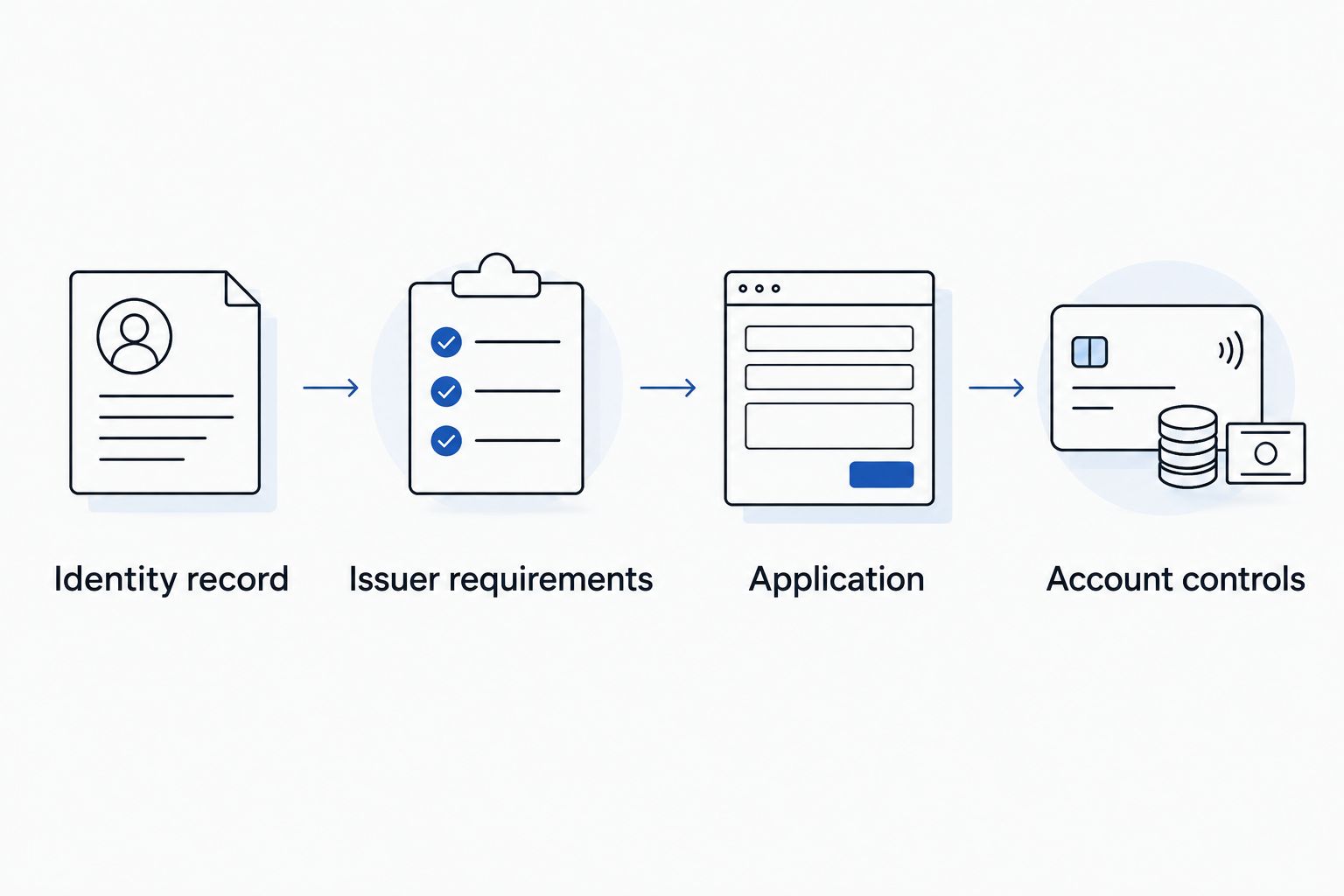
The full sequence is straightforward: Identity record, Issuer requirements, Application, then Account controls. Keep each stage separate so a missing document does not turn into an inaccurate answer.
Account controls
An approval notice is the start of account management, not the end of the workflow. Before making purchases, confirm the final account terms and how you will repay business spending.
- Review the opened account. Check the business name, authorized users, assigned credit limit, statement cycle, and repayment requirements. Ask the issuer to correct an error before relying on the account.
- Arrange payments. Add the payment account through the issuer’s secure process. If you enable automatic payments, verify the selected amount, payment date, and whether a current statement needs a separate payment.
- Separate spending. Use the business card for documented business expenses. Keep receipts and record each purchase’s business purpose rather than treating the card statement as the entire bookkeeping record.
- Set access rules. If employee cards are supported, assign only the access and spending permissions needed. Establish who checks statements and handles unfamiliar transactions.
Expected result: You know who can spend, who reviews the account, and how each statement will be paid. Keep business records organized throughout 2026 rather than rebuilding them at tax time.
When business information changes
Use a related update workflow whenever your address, ownership, legal name, or business structure changes. Updating one institution does not automatically update every other record.
- Address change: Identify which government records, bank records, and card-account details require updates. Give each organization the address type it requests.
- Legal-name or DBA change: Keep the supporting filing and ask the issuer what it needs to update the account. A new trade name does not automatically mean a new EIN is required.
- Ownership or structure change: Check IRS guidance on whether the change requires a new EIN, then ask the issuer how the change affects the existing account and responsible parties.
Keep continuity documented. Save confirmation of each accepted update so you can explain why an older statement and a newer filing show different information.
Troubleshooting
The application rejects the EIN
Check the number against the IRS confirmation and verify that you selected the correct business structure. If the details match, ask the issuer what validation failed; do not obtain another EIN simply to bypass the error.
The issuer asks for a Social Security number
An EIN identifies the business, not the individual applicant. Ask which owner-identification requirements apply; if the product requires information you cannot provide, stop and look for a product whose published requirements you meet.
Verification stalls over the business name or address
Compare the application with the requested source documents. Explain a DBA, mailing address, or recent move with appropriate records instead of altering an official document to force a match.
A newly formed business has no revenue
Report actual revenue accurately and check whether the issuer accepts businesses at your stage. Formation documents establish the entity; they do not prove sales or repayment capacity.
The application is declined
Read the adverse-action notice and follow its instructions for questions or reconsideration, where offered. Address the stated reason before another application; repeating unchanged information does not resolve the underlying issue.
Customize your workflow
For a Los Angeles owner handling formation and EIN paperwork together, Pro Business Solutions offers related filing help in one place. Its 100% error-free service promise concerns its paperwork service; credit-card underwriting remains the issuer’s responsibility.
The practical benefit is personal help understanding filing details; the boundary is that formation assistance is not lending or legal advice. Ask about the paperwork you need, the records you already have, and the specific filing help you want. That keeps the conversation focused without adding services you do not need.
Get help with business paperwork
Discuss formation and EIN filing needs with personal support in English or Spanish.
FAQ
Can I apply for a business credit card with just an EIN?
Only if the specific issuer and product permit it and your business meets their requirements. Many business-card applications also require owner identification and a personal guarantee.
Does getting an EIN automatically build business credit?
No. An EIN is a business tax identification number, not a credit account or payment history. Ask prospective issuers about their business-credit reporting practices.
Can a new LLC apply before it earns revenue?
A new LLC can apply when the issuer accepts businesses at that stage. Report actual revenue accurately and check the product’s owner, financial, and verification requirements first.
Does an EIN stop a personal credit check?
No. Using an EIN does not prevent the issuer from requesting authorization to review an owner’s credit. Read the application’s credit authorization before submitting.
Is a secured business card the same as an EIN-only card?
No. A secured card uses a security deposit under its account terms; EIN-only describes an identification claim. A secured product can still require owner identification or a personal guarantee.
Can Pro Business Solutions approve my business credit card?
No. Pro Business Solutions helps with business formation, EIN filing, and related paperwork; the card issuer makes the credit decision. Its filing support does not replace lender eligibility requirements.
What should I check before applying in 2026?
Check your legal name, EIN, business structure, actual revenue, and the issuer’s current requirements. Read the personal-guarantee, credit-authorization, and repayment terms before submitting.
One last thing
Do not confuse a card issued in your business’s name with a debt that only the business must repay. A personal guarantee changes who is responsible even when the card displays an LLC name. Read that provision before celebrating an approval.